DICOM Uploader
The DICOM Uploader sends DICOM files from your CD, USB Stick or Hard Disk Drive to IDT's secure PACS Server. Two versions of DICOM Uploader are available, a legacy version requiring Java (see below) and a new stand-alone version.
-
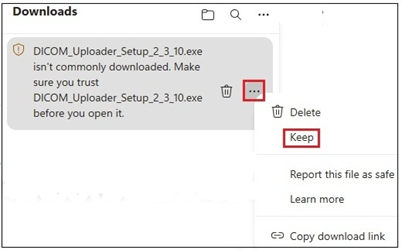
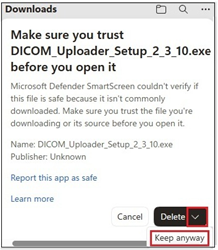
To install the stand-alone version, please download the Windows or Macintosh set-up file and double-click to install it on your computer. If you see Warning Messages like these you can safely ignore them.
-
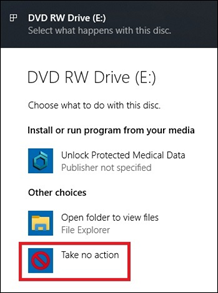
You can use DICOM Uploader either with a CD or USB Memory Stick or browse for DICOM files on your Hard Disk. If your CD or USB Stick autoruns and starts up a viewer, please cancel it or close the viewer before launching DICOM Uploader.
-
Once DICOM Uploader starts sending images, you can minimise its window and return to what you were doing. Do not close the window until all the images have been sent.
-
To check whether the upload was successful, please view the Upload Images area at the bottom of the Uploader screen. Errors will be shown in red.
-
We recommend creating a shortcut to DICOM Uploader on your Desktop so you can run it more easily next time.
-
If you prefer to run the legacy version of DICOM Uploader requiring Java, please click this button now: